 Postbeat
Your content plan, on beat.
Plan your Reels, carousels and stories by day, keep every idea in one place and post on time. Postbeat shows you what's due, keeps your caption ready to copy and gets out of the way.
Free to use on your iPhone. No ads, no tracking.

Plan it. Prep it. Post it.
Postbeat doesn't post for you and never touches your social accounts. It keeps the plan, so you can focus on the content.
- 1Catch the ideaType it in a second, share a link from any app, or let Claude or ChatGPT save a whole brainstorm.
- 2Give it a dayDrop ideas onto the calendar, pick the format and platforms, write the caption when it fits.
- 3Post on timeToday shows what's due. Copy the caption, post it, tick it off. A reminder nudges you if you want one.
Everything a creator plans. Nothing more.
Three screens, one calm system. Built for solo creators who'd rather make content than manage a tool.
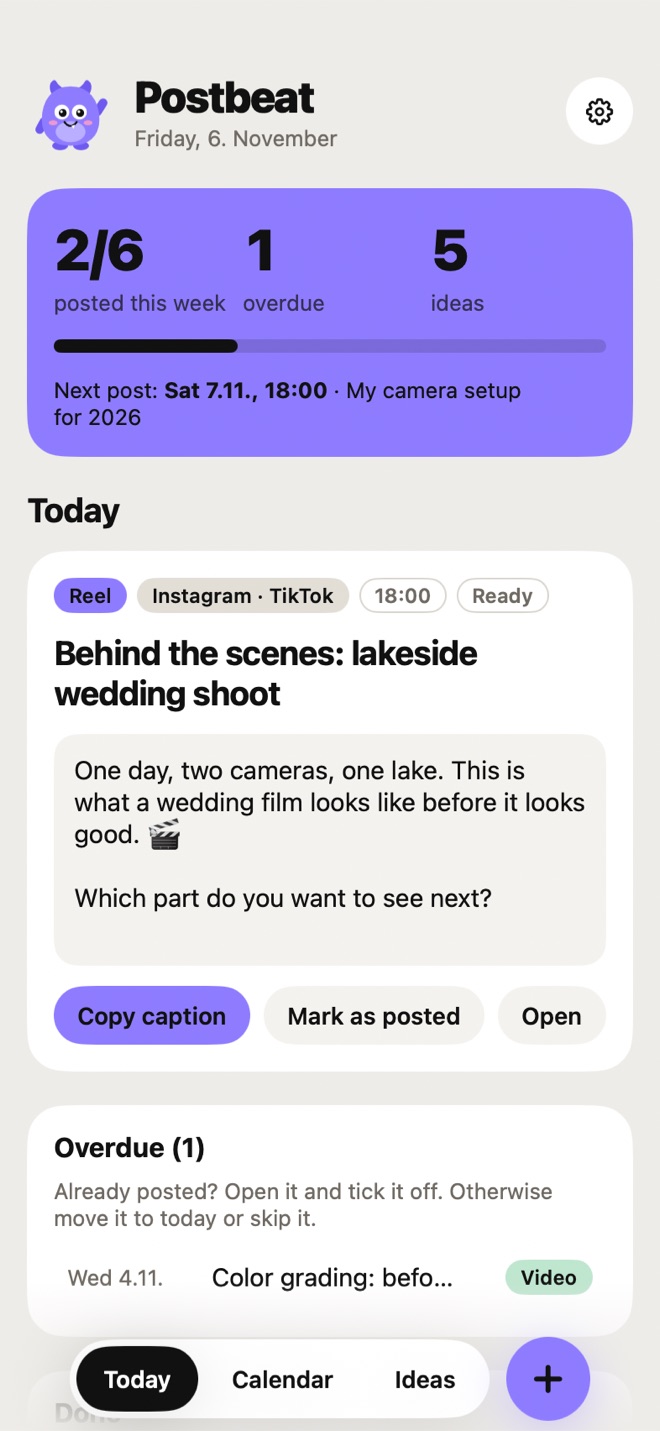
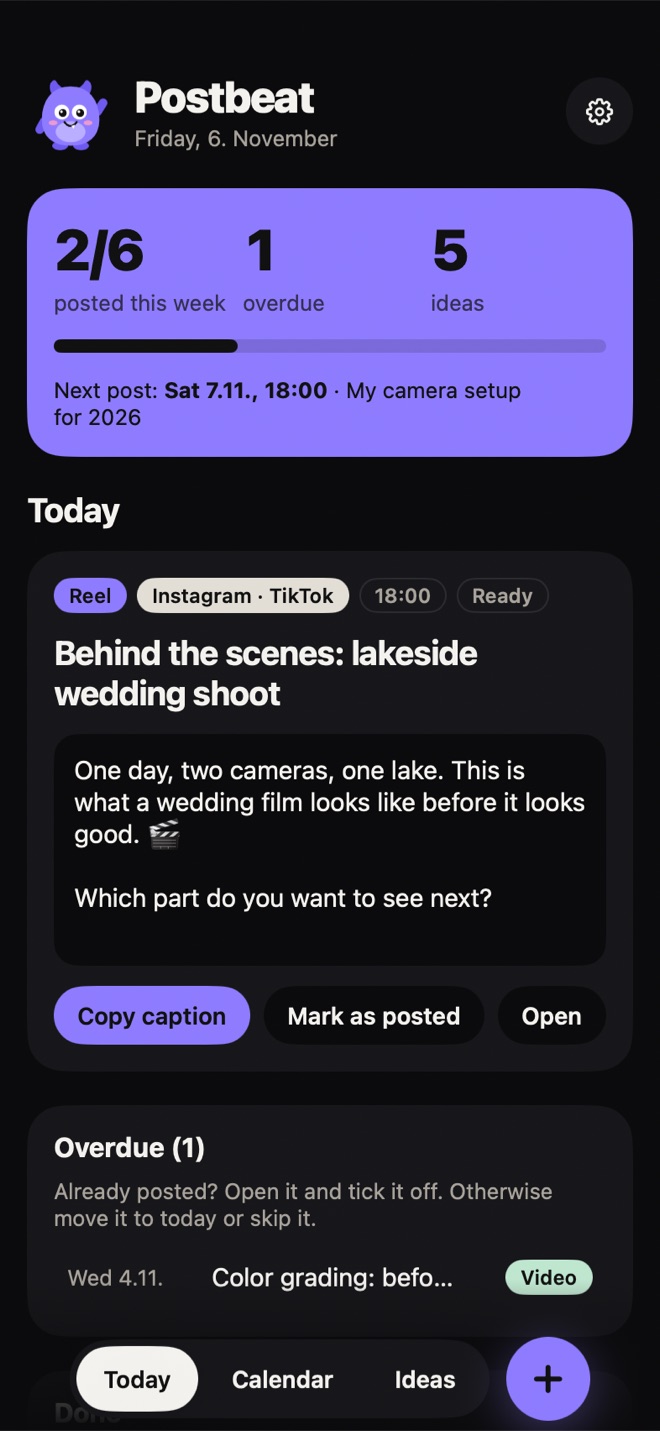
Today at a glance
What's due, what's overdue, what's next and how your week is going, all in one card.
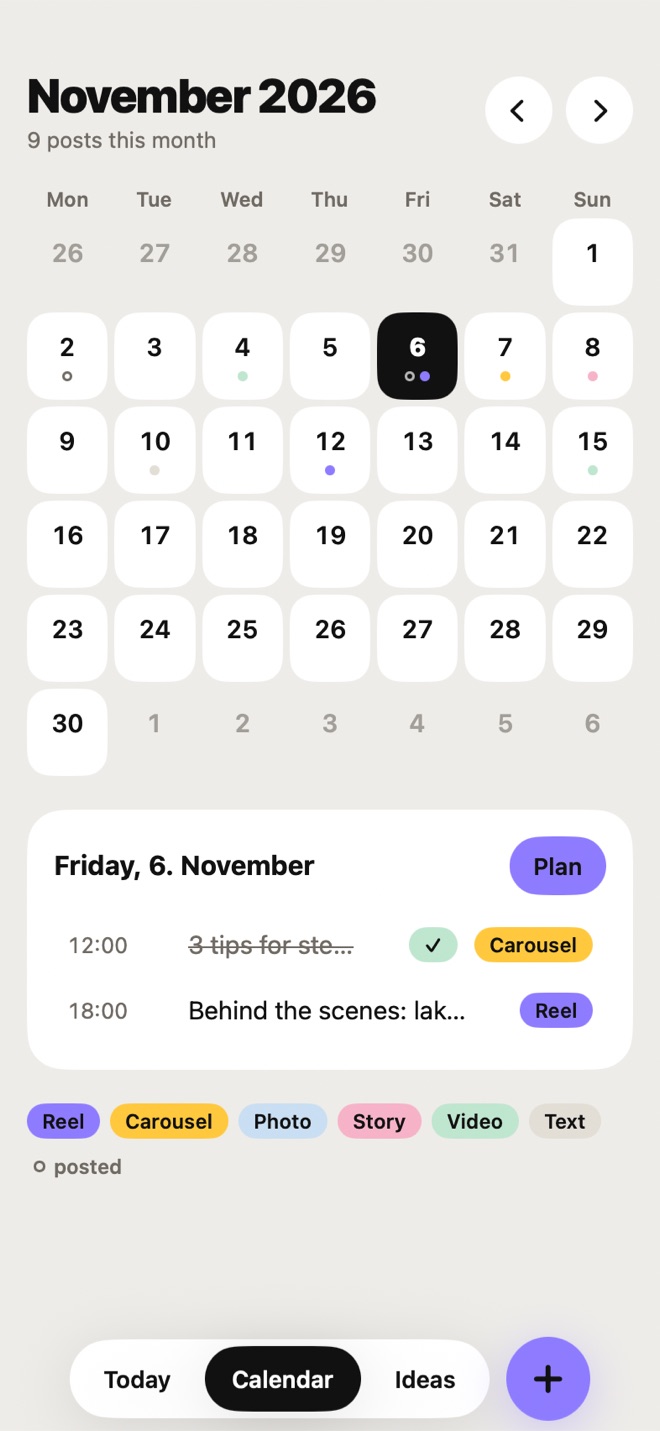
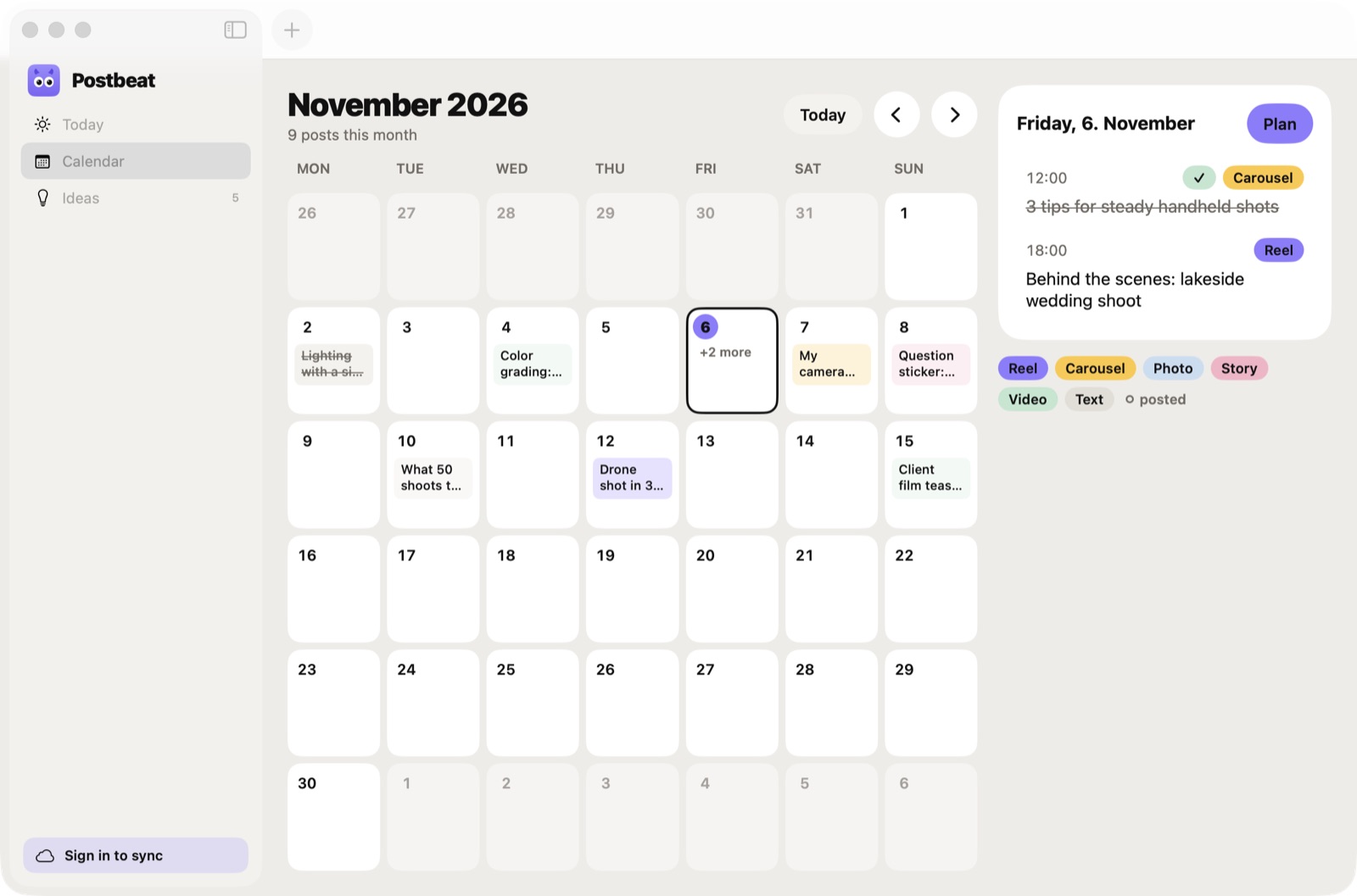
A calm calendar
Your month with a color for every format. Drag posts between days and see gaps before they happen.
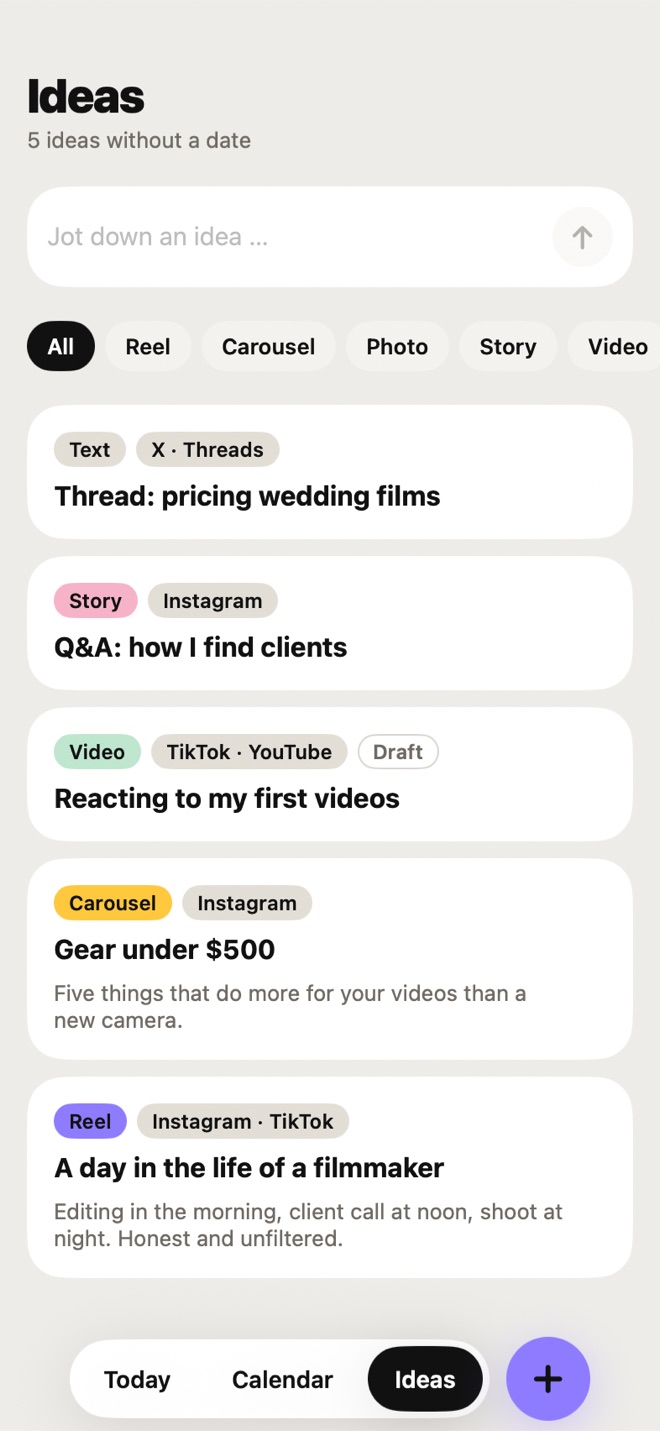
One home for ideas
Everything without a date waits in Ideas. Filter by format and schedule an idea when you're ready.
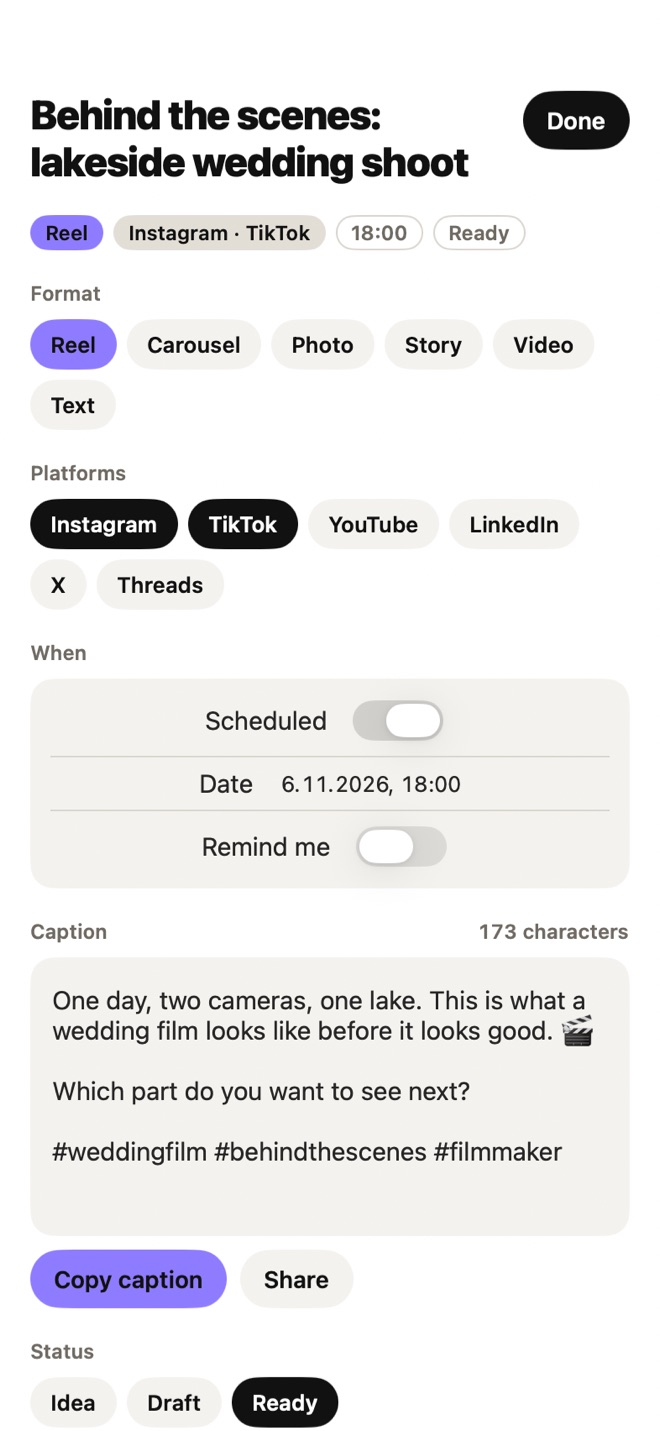
Captions ready to copy
Write the caption with hashtags in the app, then copy it with one tap when it's time to post.
Save from anywhere
Share a link, a video or a note from any app to Postbeat and it lands in your ideas.
Gentle reminders
An optional nudge at posting time, so nothing slips through. Your plan, your rhythm.
Take a look inside.
On every screen with Pro.
Plan on the couch, finish on the desk. Pro keeps your plan in sync and lets your AI assistant help.
iPhone, Mac and the web
Sign in with Apple, Google or email and your posts sync live between all your devices.
- Native Mac app with a big month calendar
- Web app for any computer at app.getpostbeat.app
- Changes show up everywhere in seconds
Connect Claude or ChatGPT
Brainstorm with your AI assistant and let it save, sort and plan ideas straight into Postbeat. One private link, no setup.
Give me 5 Reel ideas for my coffee shop and save them to Postbeat.
Saved 5 ideas to Postbeat: “Latte art in slow motion”, “Bean to cup in 15 seconds”, …
Plan the first one for Friday at 6 pm.
Connect AI
Brainstorm with your AI assistant and let it save, sort and plan ideas straight into Postbeat.
…/functions/v1/mcp/pb_3f9a1c0d2e7b…
- Copy the link. Postbeat shows it only once.
- Claude: Settings › Connectors › Add custom connector. ChatGPT: Settings › Apps & Connectors.
- Paste the link and ask: “Save these ideas to Postbeat”.
Free to plan. Pro to go further.
Everything you need to plan on your iPhone is free. Pro adds sync, the Mac and web apps and your AI assistant.
Free
On your iPhone
0 €
no account needed
- Today, Calendar and Ideas
- Unlimited posts and ideas
- Captions with one-tap copy
- Save ideas from the share sheet
- Reminders at posting time
- Light and dark mode
Pro
Everything in Free, and more.
3 months
9,99 €
3,33 € a month
1 year
29,99 €
2,50 € a month
Lifetime
79,99 €
yours for good
- Live sync between iPhone, Mac and the web
- Native Mac app and the web app
- Connect Claude or ChatGPT to save and plan ideas
- Sign in with Apple, Google or email
- Every new Pro feature as it ships
The yearly plan starts with a 7-day free trial. Prices include VAT and are shown in your local currency in the App Store. Subscriptions renew automatically until you cancel them in your Apple account settings.
Good to know.
Does Postbeat post to Instagram or TikTok for me?
No. Postbeat never connects to your social accounts. It plans, reminds you and keeps your caption ready, and you post yourself. That keeps it simple, private and safe for your accounts.
Do I need an account?
Not for the free version. Your plan stays on your iPhone. You only sign in when you want Pro features like sync, the Mac and web apps or your AI assistant.
How does connecting Claude or ChatGPT work?
In Settings, tap “Create connection link” and add that link as a custom connector in Claude or as an app in ChatGPT. Then ask things like “Save these ideas to Postbeat” or “What's planned next week?”. You can disconnect it at any time.
Which platforms can I plan for?
Instagram, TikTok, YouTube, LinkedIn, X and Threads, in the formats Reel, Carousel, Photo, Story, Video and Text.
Can I cancel Pro?
Yes, anytime in your Apple account settings. Pro then runs until the end of the period you paid for. Your posts stay with you.

Ideas, feedback, a feature you miss?
Postbeat is made by one person in Germany. Every message is read.